Getting started
- Your first week with Talking CardsYou have downloaded Talking Cards and you have a few spare minutes. Maybe fewer.
- Turning on the talking board: building "I want some water"Talking Cards opens as a learning board. Your child taps a card and hears the word.
- Modeling: using the board yourself while you talkWhen your child uses the talking board, you can use it too. You tap the cards while you say the words out loud.
- Family Voices: record a word in your own voiceEvery card in Talking Cards is narrated. With Family Voices, you can also record a word yourself. Mom can record "water".
Every day
- A morning plan your child can follow: Now and Next in Talking CardsMornings ask a lot of a small child. Get up, use the toilet, get dressed, eat, and then out the door.
- The SOS button: urgent words one tap away in Talking CardsSome things can't wait. "I am hurt." "I need the bathroom." "Please stop."
- The Quiet place: a spot to rest and breathe in Talking CardsSome days are a lot. Noise, changes, a hard moment at the park. Sometimes a child just needs a pause.
- Let's Talk: picture chats and a story with Little BearBack-and-forth chats are a big part of family life. "What do you want for lunch?" "Who did you play with?"
- Storybooks and games in Talking Cards: a quick guide for parentsSome days you have ten minutes and no plan. Talking Cards has 73 picture storybooks and 15 games that can fill those minutes with…
Grown-ups and classrooms
- Make a photo card, and tidy the board, in Talking CardsYour child has a favorite cup, a bedtime toy or a snack that isn't in the app.
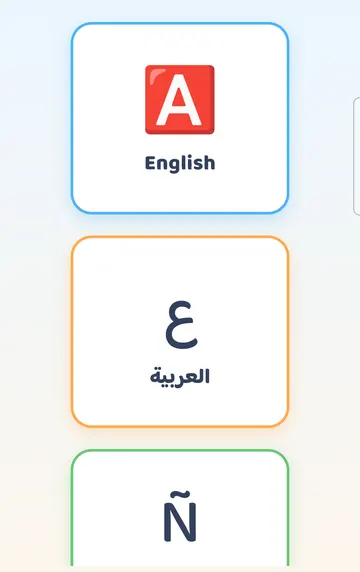
- Using Talking Cards in two languages at homeMany families talk in more than one language. Maybe Grandma speaks Arabic, school is in English, and dinner is in Spanish.
- Setting up Talking Cards for a classroom, a clinic or a busy homeTalking Cards has a handful of grown-up settings that matter most when one tablet is shared, used across a school day, or brought…
- What's free in Talking Cards, and how the free week worksTalking Cards is free to download and free to keep using. Some parts need the full app.
- Using Talking Cards with TalkBack on AndroidSome children, parents and teachers use a screen reader to get around a phone or tablet.
This is practical guidance from the people who make Talking Cards, not clinical advice. Your child's speech-language pathologist knows your child best.