Getting there
There are a few ways in.
From the board, tap the bag (More) at the top left, then tap Quiet place. The Quiet place is part of the free app, so this tile is there even before anything is unlocked.
If the SOS button is on, the Emergency sheet has a Quiet place button at the bottom. One tap from SOS takes your child straight there.
There is also an optional handle you can add to every screen. It is off unless you turn it on. More on that below.
What's inside
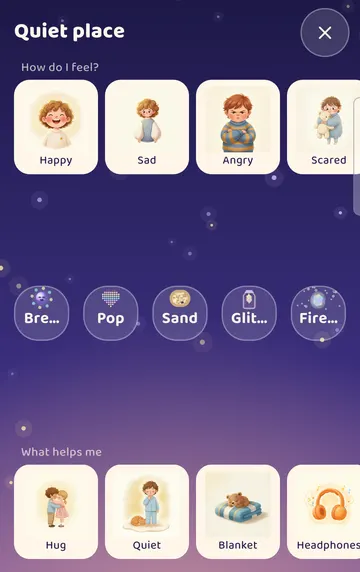
The Quiet place opens with three parts:
- How do I feel?, a row of 6 feelings cards: Happy, Sad, Angry, Scared, Worried and Tired.
- Five activities: Breathe, Pop, Sand, Glitter jar and Fireflies.
- What helps me cards.
See it on a larger screen
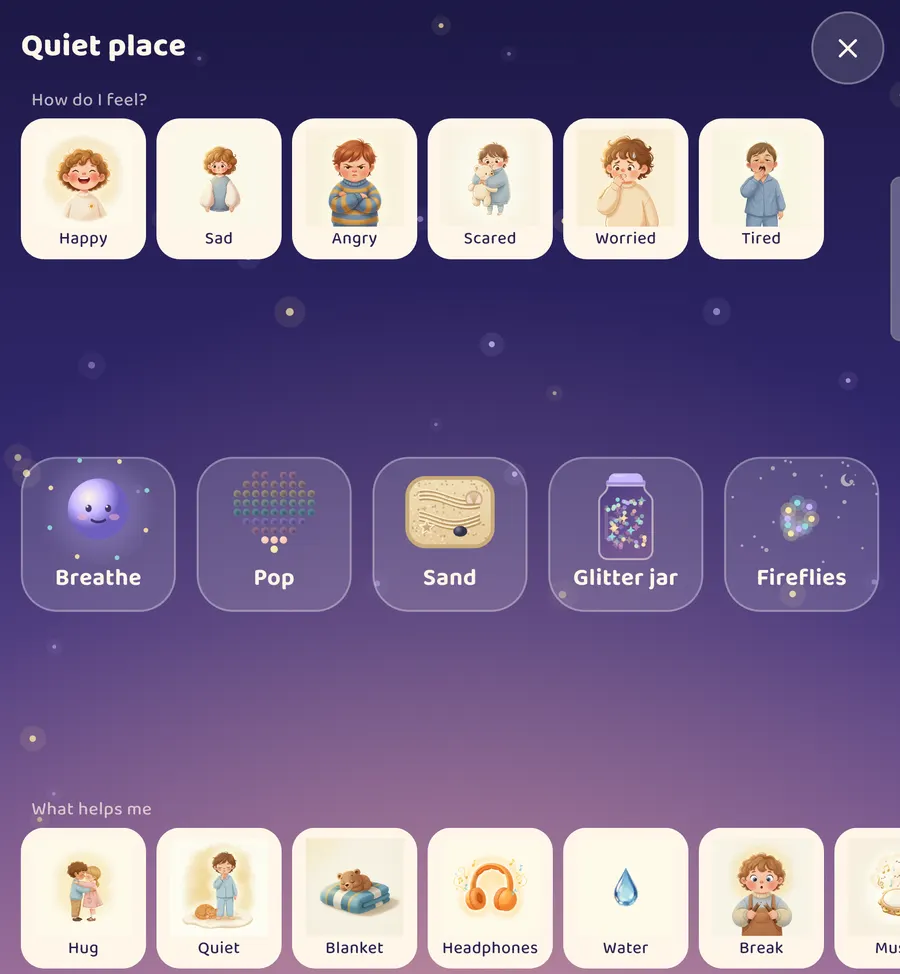
On a narrow phone screen the activity names get cut short. On a tablet or an unfolded phone they have room to show in full.
Breathe
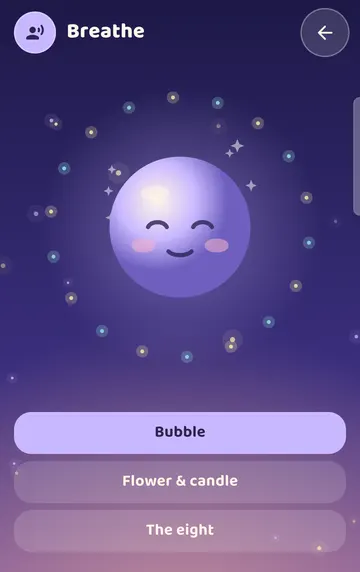
Tap Breathe. A smiling bubble fills the screen for your child to breathe along with.
There are three styles to pick from: Bubble, Flower & candle, and The eight. There is also a Voice button at the top left.
You might sit beside your child and breathe along with the bubble together.
Pop
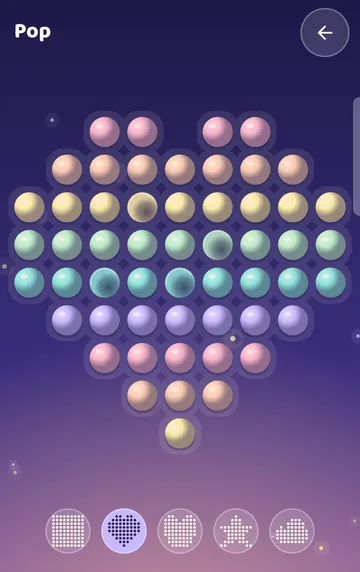
Tap Pop. A pop-it appears on screen, and your child presses the bubbles.
Five shapes sit along the bottom: Square, Heart, Bear, Star and Cloud.
Sand
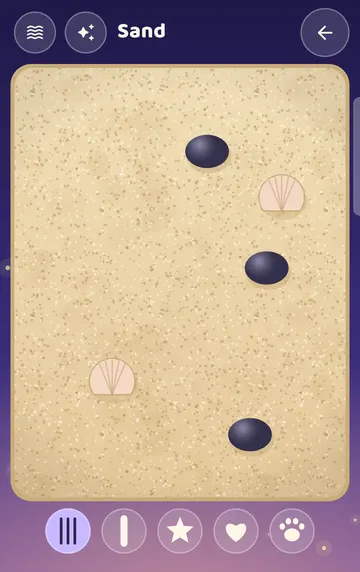
Tap Sand. A sand tray with stones and shells appears. Your child draws in it with a finger or a tool.
The tools along the bottom are a Rake, a Finger, and Star, Heart and Paw stamps. Smooth the sand clears the tray for a fresh start.
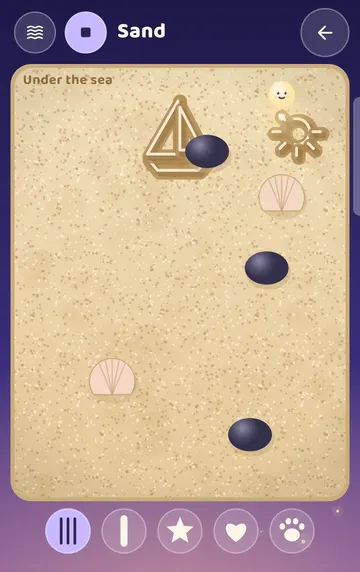
At the top there is a sparkle button, Draw for me. Tap it and a little friend draws a picture in the sand while your child watches. In our example it drew "Under the sea".
Glitter jar
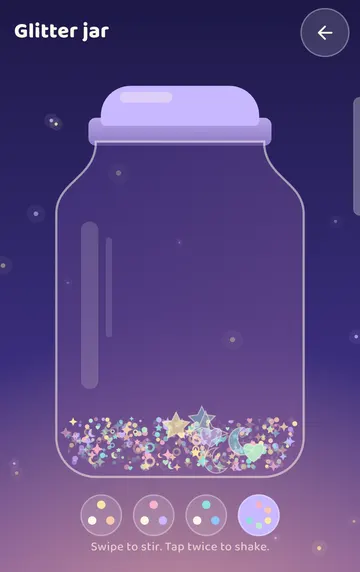
Tap Glitter jar. The screen says: "Swipe to stir. Tap twice to shake."

Tap twice and the glitter swirls, then slowly settles back down.
Pick a color for the glitter: Gold, Rose, Ocean or Rainbow.
Fireflies

Tap Fireflies. A night sky fills the screen with the words "Touch the sky and the fireflies come to you."
How do I feel?
Back on the Quiet place home, your child can tap a feeling. The app says the feeling out loud.
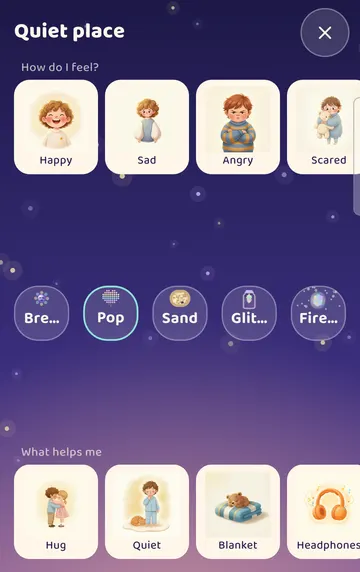
Then one of the activities or help cards glows for a moment. It's a gentle suggestion, and your child can choose anything they like. When we tapped Angry, Pop glowed. When we tapped Sad, the Glitter jar glowed.
This row gives your child a way to point to a feeling, even on days when words are hard to find.
Choose what's there
You decide which activities appear.
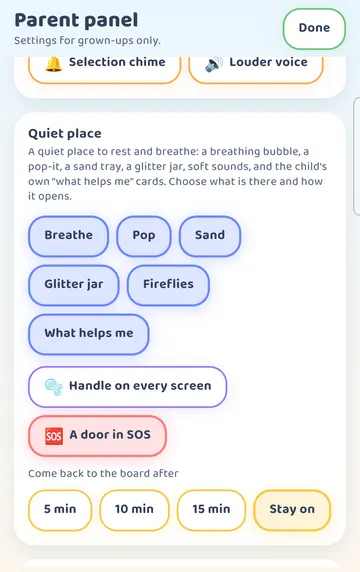
Press and hold the gear at the top right for 3 seconds. A short sum appears in "For grown-ups". Tap the right answer to open the Parent panel. Scroll to the Quiet place section.
See it on a larger screen
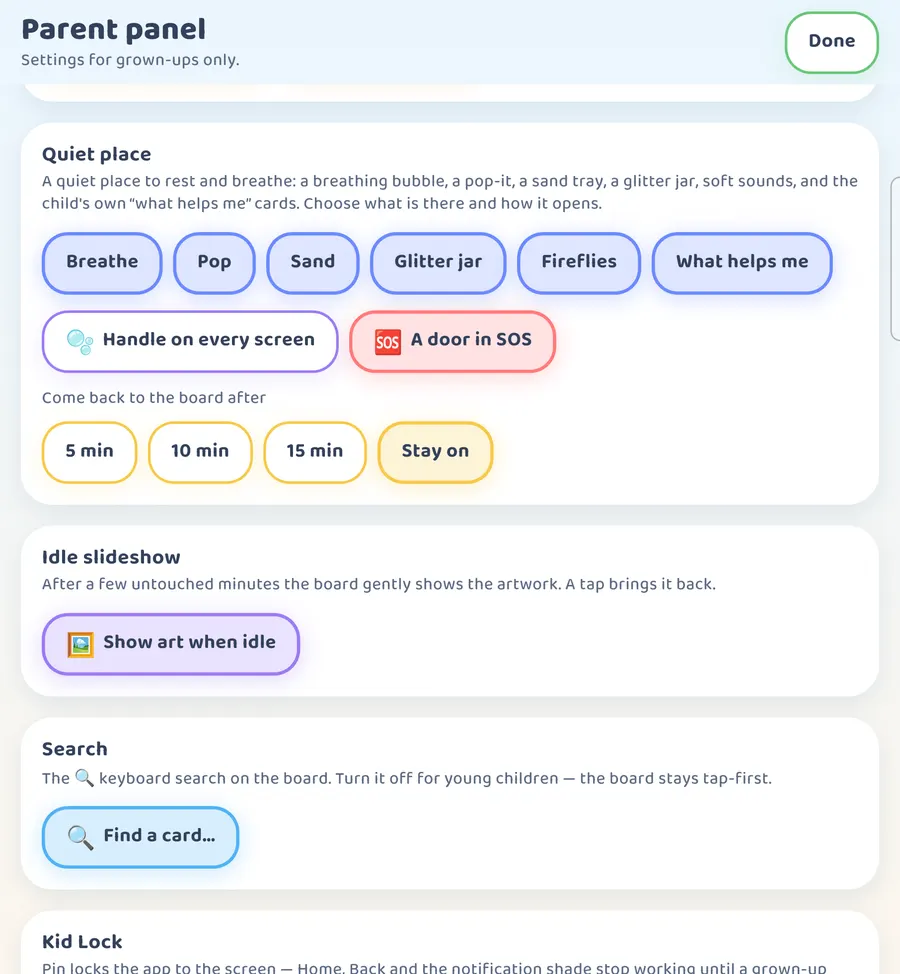
On a larger screen it looks like this.
Here you'll find:
- A chip for each activity, plus What helps me. All of them are on at first.
- Handle on every screen. Off at first. Turn it on to add a way into the Quiet place on every screen.
- A door in SOS. On at first. This is the Quiet place button on the Emergency sheet.
- Come back to the board after: 5 min, 10 min, 15 min or Stay on. Stay on is the starting choice.
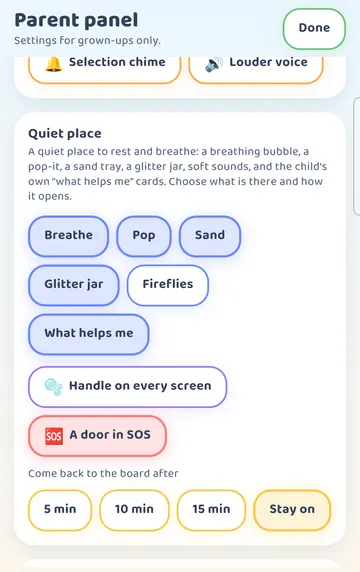
To hide an activity, tap its chip so it empties. In our example we turned off Fireflies.
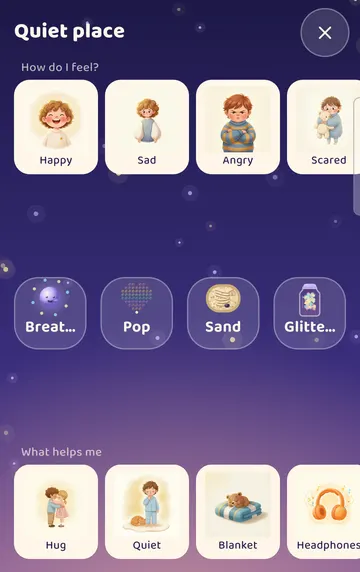
Tap Done and open the Quiet place again. Now there are four activities, and Fireflies is gone. Tap the chip again whenever you want it back.
Fewer choices can make the screen simpler for some children. Start with one or two and add more later if you like.
A few gentle notes
Visit the Quiet place together on an ordinary day first. Try each activity so they all feel familiar.
Let your child lead. There is no right way to use the Quiet place, and no score.
The Quiet place sits alongside the other things your family already does to rest, like a cuddle, a drink of water or a quiet corner at home.
Try it
- Tap the bag (More), then Quiet place.
- Tap Breathe and breathe along with the bubble together.
- Try Pop, Sand and the Glitter jar. In Sand, tap Draw for me and watch.
- Go back and tap a feeling in How do I feel? to hear it said aloud.
- Open the Parent panel and scroll to Quiet place.
- Turn off any activity your child doesn't need, and decide if you want Handle on every screen.
- Pick when to come back to the board: 5, 10 or 15 minutes, or Stay on.
This is practical guidance from the people who make Talking Cards, not clinical advice. Your child's speech-language pathologist knows your child best.