What's free, always
Without unlocking anything, your child has:
- 194 starter cards, narrated, on the learning board.
- Let's Talk, the chat and story corner with the bear buddy.
- The Quiet place, with its calm activities.
- The emergency board.
- Family voices, so a parent or grandparent can record their own voice for cards.
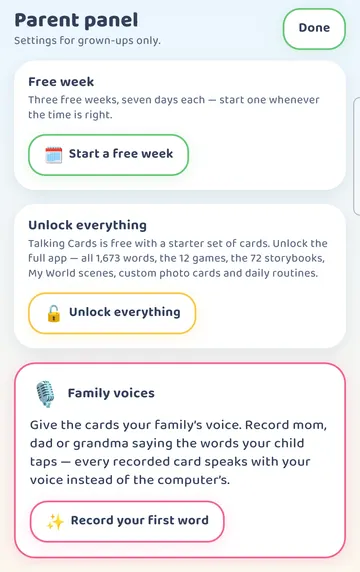
The app says it simply on the Unlock everything card: "Talking Cards is free with a starter set of cards. Unlock the full app — all 1,700+ words, the 15 games, the 73 storybooks, My World scenes, custom photo cards and daily routines."
Talking Cards works offline for everyday use, whether it's unlocked or not.
The 30-minute welcome
The very first time you open Talking Cards, you get a 30-minute welcome. You don't need to do anything to start it. It's a chance to look around the app with your child.
When the 30 minutes are up, the app goes back to the free set, and the free week becomes available.
The free week, three times over
After the welcome ends, a Free week card appears at the very top of the Parent panel.
To get there, press and hold the gear in the top right for 3 seconds, then tap the right answer to the sum in "For grown-ups".
The card reads: "Three free weeks, seven days each — start one whenever the time is right". Under it is a Start a free week button.
A few things to know:
- A free week opens everything for seven days.
- You get three of them. Each one is seven days long.
- Only a grown-up can start one, from the Parent panel.
- You choose when. You might save one for a school holiday, a long car trip, or the week before a visit to your child's speech-language pathologist.
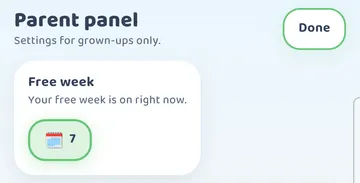
While a free week is on, the card says "Your free week is on right now" and shows the days left.
15 minutes a day, every day
There's also a Free daily preview: 15 minutes a day of the full app, which a grown-up starts. It's there every day, even after all three free weeks have been used.
Fifteen minutes is enough for a storybook or a couple of games together. It's a nice way to share something new without unlocking the whole app.
The Unlock page
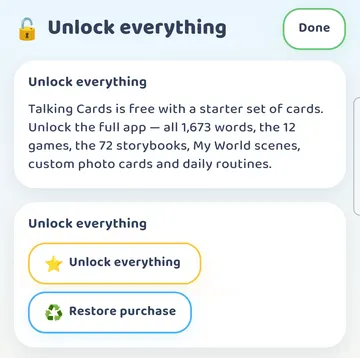
Tap Unlock everything in the Parent panel to open the Unlock page. It lists what the full app adds and shows:
- the Unlock everything button, to buy the full app,
- Restore purchase,
- the status of your Free week,
- the status of your Free daily preview.
Restore purchase is the button to tap if you've unlocked Talking Cards before and it shows as locked again. On iPhone and iPad, purchases go through the App Store.
Have an unlock code? (Android and Fire tablets)
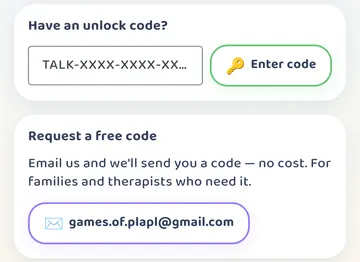
On Android phones and tablets, and on Fire tablets, the bottom of the Unlock page has a box headed "Have an unlock code?".
- Type your code into the box.
- Tap Enter code.
An empty or mistyped code is checked on the phone itself.
Below that is Request a free code. The app says: "Email us and we'll send you a code — no cost. For families and therapists who need it." The email address is support@plapl.app.
Unlock codes are for Android and Fire tablets only.
About the internet
On Android and Fire tablets, the internet is used only to complete a purchase or redeem an unlock code. On iPhone and iPad, the app itself makes no network requests; purchases go through the App Store.
Try it
- Open Talking Cards and spend the 30-minute welcome exploring together.
- Later, press and hold the gear for 3 seconds and answer the sum.
- Look at the top of the Parent panel for the Free week card.
- When the time feels right, tap Start a free week.
- Keep an eye on the days left on the card.
- On other days, use the Free daily preview for 15 minutes of stories or games.
- If you've unlocked before, open Unlock everything and tap Restore purchase.
- On Android or a Fire tablet with a code, scroll to "Have an unlock code?", type it in and tap Enter code.
This is practical guidance from the people who make Talking Cards, not clinical advice. Your child's speech-language pathologist knows your child best.